

Privacy-first analytics for internal dashboards means designing pipelines and reports so business data stays private, auditable, and useful. Default to aggregated, role-based outputs and deny raw data access unless someone explicitly requests it. Enforce retention limits and lineage tracking from day one, not after an incident. A tool like Vetros builds this structure automatically, but the principles apply whether you build it yourself or not.
TL;DR:
- Most privacy breaches are prevented by collecting only necessary data fields and implementing strict retention policies aligned with reporting needs.
- Data should be split into raw, tokenized, and aggregated zones to minimize exposure and ensure sensitive information stays protected by default.
- Role-based access control and audit logging are critical to enforce least privilege and maintain transparent records of data access and transformations.
- Automating data masking, tokenization, and suppression techniques helps enforce privacy principles without requiring extensive engineering effort.
- Designing dashboards around a few key decisions, role-specific views, and clear lineage labeling supports both privacy and user trust.
Table of Contents
- What Are the Core Principles of Privacy-First Analytics?
- What Engineering Techniques Enforce Privacy in Analytics?
- How Do You Design Dashboards Non-Technical Teams Will Actually Use?
- What's a Practical Checklist for Piloting a Privacy-First Dashboard?
- How Does Vetros Map to This Checklist?
- Why Treating Raw Access as Exceptional Changes Everything
- Get a Privacy-First Dashboard Running This Week
- Sources
- FAQ
What Are the Core Principles of Privacy-First Analytics?
Privacy-first analytics rests on five habits, and none of them require a data engineer to implement.
Data minimization comes first. Collect only the fields your dashboard actually answers questions with. If nobody's decision depends on a customer's exact birthdate, store an age band instead. This single choice eliminates most future risk before it exists.
Separate your data into zones. Raw data lands in one restricted area, tokenized data (identifiers swapped for safe placeholders) sits in a middle layer, and aggregated summaries feed the dashboards most people actually see. This structure, sometimes called a zone-based architecture, keeps sensitive fields away from casual viewers by design.
Least privilege beats trust-based access. Role-based access control (RBAC) and row-level security should assume nobody needs full visibility until they prove otherwise, not the reverse.
Retention schedules need teeth. Data that expires automatically after 30, 60, or 90 days can't leak six months from now.
Audit logs build internal trust. When a manager asks "who saw this number," you need an answer.
- Collect the minimum fields required for each dashboard question
- Split data into raw, tokenized, and aggregated zones
- Grant access by role, not by default trust
- Automate expiration instead of relying on manual cleanup
- Log every access and transformation for later review
Pro Tip: Start your retention policy with the shortest window that still answers last quarter's questions. You can always extend it later; you can't un-expose data you kept too long.
What Engineering Techniques Enforce Privacy in Analytics?
Four techniques do most of the heavy lifting in a privacy-aware analytics layer: masking, tokenization, aggregation floors, and row-level security.
- Column-level masking through safe views. Build a view layer that masks sensitive columns (emails, phone numbers, exact salaries) before anyone queries them, and lock down direct table access so the mask can't be bypassed. A masking view is worthless if analysts can still query the raw table underneath.
- Tokenization with vault separation. Replace identifiers with tokens stored in a separate vault, and log every detokenization event with a business justification attached. That log becomes your evidence trail if anyone later asks why a specific customer was re-identified.
- Aggregation floors and suppression. Refuse to display any group smaller than a set threshold so nobody can reverse-engineer an individual from a very small group.
- Row-level security by role. Design roles around job function, not convenience. A common pitfall is granting a manager role broad access "temporarily" during onboarding and forgetting to revoke it.
Differential privacy adds statistical noise to outputs and works best for dashboards shared broadly outside a tight need-to-know group. It's overkill for a five-person startup's internal sales dashboard, but it matters once a report crosses into board decks or investor updates where exact counts aren't the point.
Retention discipline pays off beyond privacy. Shorter retention windows reduce the audit and search burden when a compliance question or vendor review comes up, because there's simply less historical data to comb through.
How Do You Design Dashboards Non-Technical Teams Will Actually Use?
A dashboard nobody opens isn't private, it's useless. Design choices matter as much as the pipeline behind them.
Prioritize the handful of KPIs tied to a decision someone makes weekly, and separate operational metrics (what happened today) from impact metrics (what changed over a quarter). Dumping forty charts on one screen is the fastest way to kill adoption, a pattern researchers call data vomit in dashboard design circles.
Set role-based defaults so a support lead sees ticket trends while a founder sees revenue and churn, with deeper views available only to those who ask for them.
- Show only the metrics tied to a real weekly decision
- Default each role to its own view, not a shared master dashboard
- Label what was masked or aggregated directly on the chart
- Disable row-level drilldowns and raw exports by default
- Embed dashboards into Slack or existing tools instead of a separate login
Surfacing that lineage, showing users what was aggregated or hidden and why, is not just a compliance nicety. Research on dashboard trust found that a lack of visible provenance directly undermines whether people trust and adopt a dashboard at all.
Pro Tip: If a chart needs a paragraph of explanation to be trusted, redesign the chart. Trust should come from what's visibly labeled, not from what someone has to explain out loud.
What's a Practical Checklist for Piloting a Privacy-First Dashboard?
Six steps get a small team from zero to a working, privacy-respecting dashboard without months of planning.
- Inventory and classify. List every data source, then tag each column by sensitivity, owner, and how long it needs to be kept.
- Pick three questions, not thirty. Choose the top three decisions your dashboard needs to support, and pull only the fields those answers require.
- Write ingestion contracts. Each new source should declare what fields it sends, how long they're kept, and what transformations are allowed, enforced at the point of ingestion rather than cleaned up later downstream.
- Build the three zones. Set up raw, tokenized, and aggregated layers, and apply masking or tokenization at the boundary between them.
- Lock access and log everything. Apply row-level security, set aggregation floors, and turn on audit logging so every query and detokenization event has a trail.
- Pilot small, then expand. Run it with one team for two to four weeks, collect feedback on what's missing or confusing, then widen the rollout.
| Checklist Step | Owner | Quick Win |
|---|---|---|
| Inventory and classify | Team lead | Flag PII columns first |
| Pick top 3 questions | Whoever requested the dashboard | Cuts scope immediately |
| Ingestion contracts | Whoever owns the data source | Prevents scope creep later |
| Build zones + masking | Technical lead or platform | Blocks accidental exposure |
| RLS + audit logging | Admin/IT | Creates your evidence trail |
| Pilot and expand | Project owner | Surfaces UX gaps early |
How Does Vetros Map to This Checklist?
Vetros automates several of the steps above, which matters most for teams without a dedicated data engineer. Rather than building ingestion contracts and modeling layers by hand, you describe what you want to see and Vetros connects to your data sources, manages ingestion, and builds the underlying model automatically.
- Vetros builds and maintains real-time dashboards without requiring a dedicated data team
- It connects to your sources and handles ingestion, modeling, and visualization from a plain-language description
- Generated code stays readable and editable, so you can verify exactly what's being masked, aggregated, or transformed
That transparency covers the lineage and audit piece directly: because the code is visible and editable, you're not trusting a black box to tell you what happened to your data. It accelerates the connector setup, modeling, and pilot-speed steps of the checklist above, though classification and access-policy decisions still belong to your team.
Why Treating Raw Access as Exceptional Changes Everything
The uncomfortable tradeoff nobody likes to admit: privacy-first analytics slows you down at first. Writing ingestion contracts and classifying columns takes longer than just pointing a tool at your database and hoping.
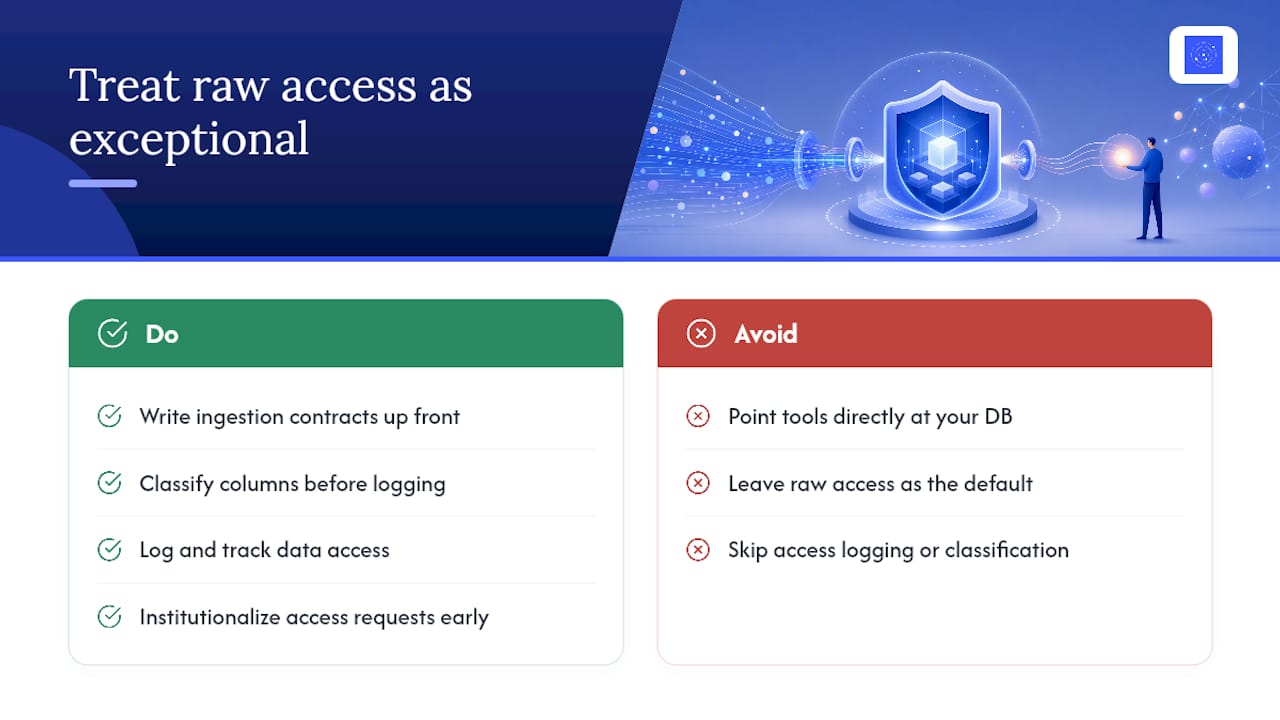
That upfront cost buys something bigger later. Teams that classify data and log access up front spend far less time scrambling during an audit or a customer's data request, because the trail already exists.
The cultural shift matters more than any single tool. Raw access should feel exceptional, something you request and justify, not a default setting everyone quietly has. Institutionalize that now, while your team is small, and you'll never have to unwind bad habits later.
— Ąžuolas
Get a Privacy-First Dashboard Running This Week
If your team has been putting off building dashboards because you don't have a data engineer to write ingestion contracts and access rules by hand, Vetros closes that gap directly. You describe the dashboard you need in plain language. Vetros handles the connection, modeling, and visualization, while keeping the generated code visible so you can see exactly what's happening to your data.
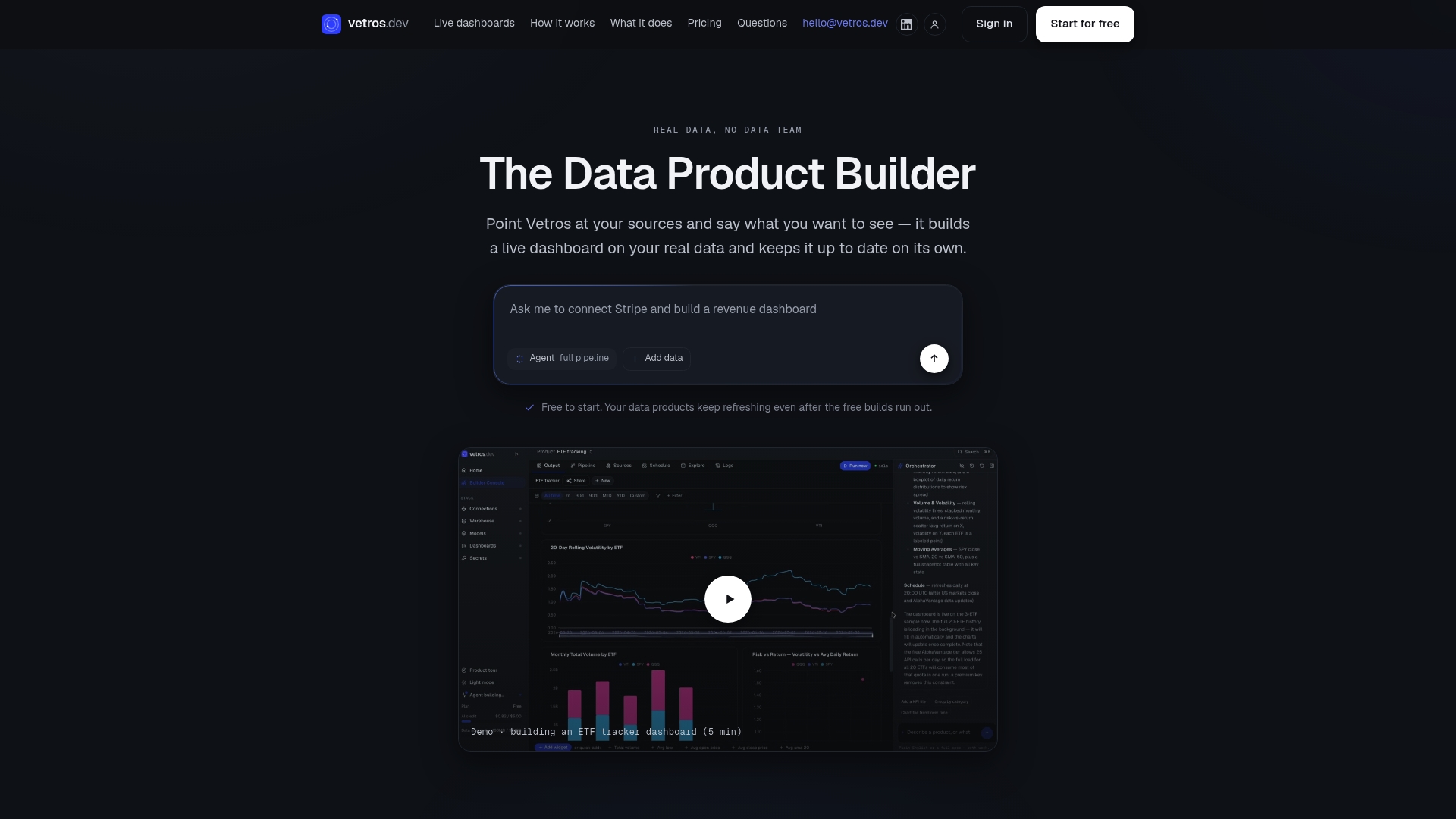
Vetros offers a Free plan to test the workflow on your own data before committing to anything. Paid plans start with Pro at $99 per month, and scale up through Team and Enterprise as your source count and user seats grow. If you want a second opinion on how privacy-aware analytics fits into broader product strategy, benchmarked's work on AI-native products is worth a look. Visit Vetros's site to start a free build and see how many steps of your pilot checklist it handles automatically.
Sources
- How to build a privacy-aware analytics layer with SQL — 4 top techniques
- Privacy-First Cloud Analytics for CCPA & GDPR
- Privacy dashboards: the impact of the type of personal data and user control on trust and perceived risk
FAQ
What Does Privacy-First Analytics Mean for Internal Dashboards?
It means designing your data pipeline so information stays encrypted, access-controlled, and traceable by default, not tracked as an afterthought. Practically, that means aggregated views for most users, raw access reserved for exceptions, and every query logged.
Is Differential Privacy Necessary for a Small Team's Dashboard?
Usually not for internal-only dashboards viewed by a handful of trusted roles. It becomes worth considering once a report gets shared broadly, like an investor update, where exact counts matter less than the trend.
How Long Should We Retain Raw Analytics Data?
There's no universal number, but shorter is generally safer and cheaper to audit. Start with the shortest window that still answers your last full reporting cycle's questions, then extend only if a real business need shows up.
Does Vetros Handle Data Privacy Automatically?
Vetros stores data with encryption and keeps generated code visible and editable, so your team can verify exactly what transformations are applied. It's built to connect, model, and visualize your sources without requiring a dedicated data engineer to enforce those controls manually.
What's the Biggest Mistake Teams Make Setting This Up?
Granting broad access "temporarily" during onboarding and never revoking it. That one habit quietly undoes every masking rule and aggregation floor you set up, because a wide-open role can just query around them.